1
Configure Toolchain & Core Libraries
Install the ESP32 board package in Arduino IDE via Board Manager (esp32 by Espressif Systems). Select ESP32 Dev Module as your target board.
Build a self-hosted WiFi-controlled robot car with ESP32 and L298N driver using an embedded web interface with joystick control.
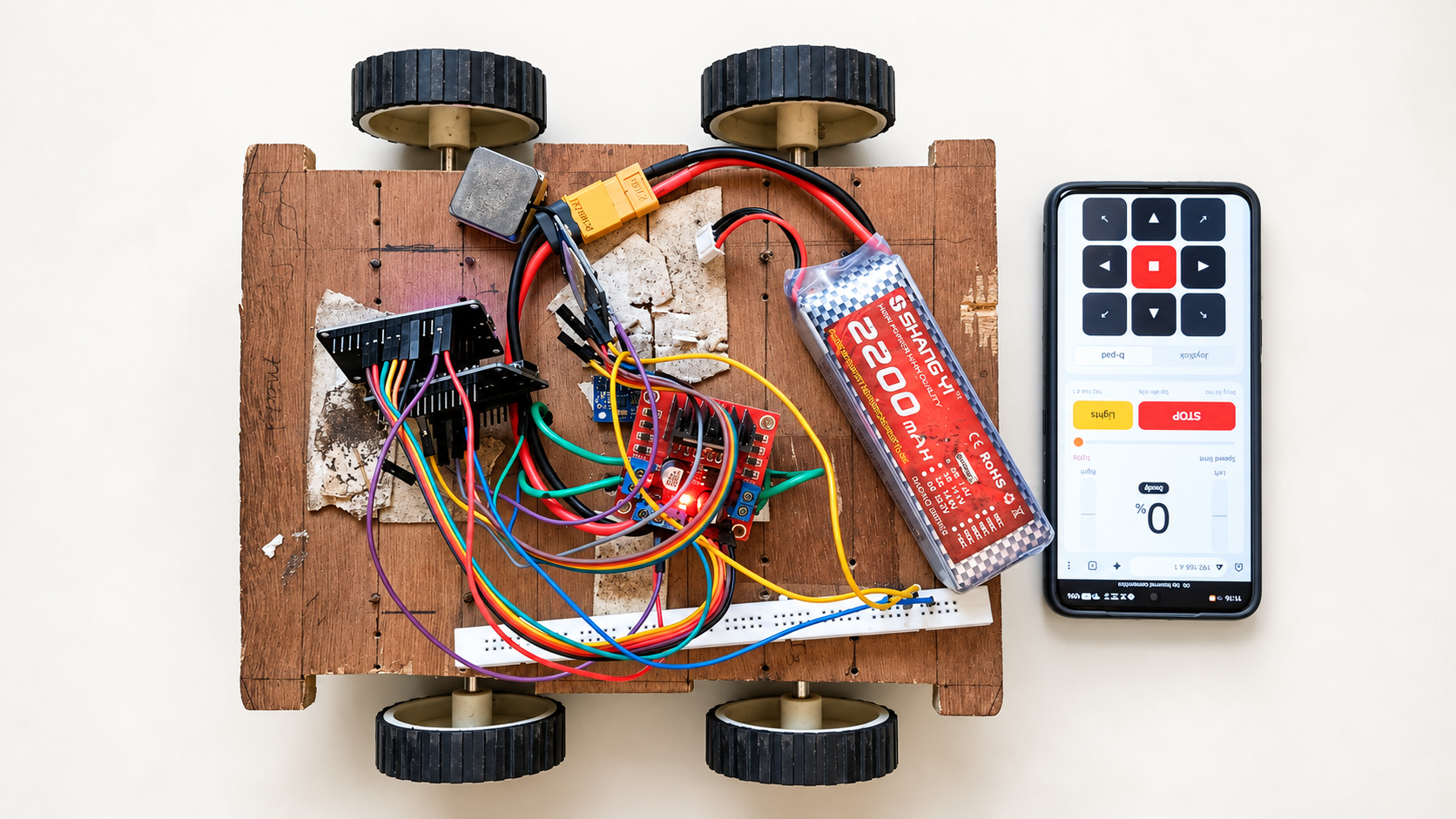
This project uses a 3-cell Lithium-Ion battery pack (~11.1V–12.6V). Lithium batteries pose fire risks if short-circuited or over-discharged. Always use a protected battery holder or BMS. Ensure common ground between ESP32 and L298N. Never plug the ESP32 into a USB port while the main 12V battery switch is turned on.
Basic breadboard/jumper wiring skills, Arduino IDE installed on computer, Fundamental understanding of DC gear motors and lithium battery handling
This robot car runs on an ESP32 DEV V1 and requires no smartphone application, router, or active internet connection. When powered on, the ESP32 creates its own dedicated WiFi Access Point (ESP32-CAR). Connecting your smartphone or computer to this network and navigating to 192.168.4.1 loads a modern responsive control panel served directly from the ESP32 flash memory.
Preferences.Adds all 6 parts to your Amazon.in cart. Check items before you pay.
Adds all 6 parts to your Amazon.in cart. Check items before you pay.
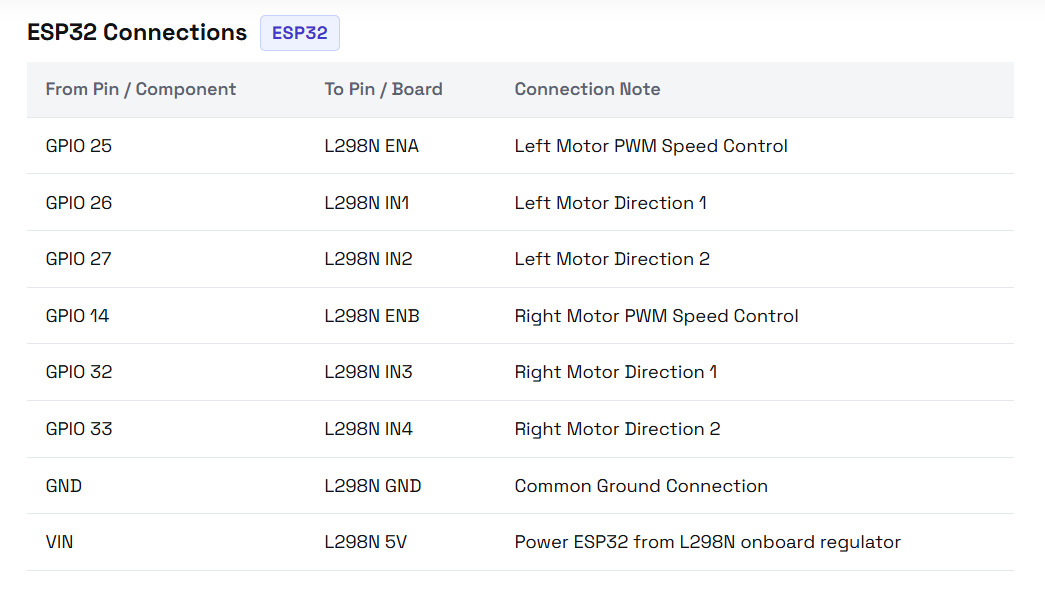
Add all to Amazon cartFollow the exact circuit connections and pinouts for your board.
| From Pin / Component | To Pin / Board | Connection Note |
|---|---|---|
| GPIO(D) 25 | L298N ENA | Left Motor PWM Speed Control |
| GPIO(D) 26 | L298N IN1 | Left Motor Direction 1 |
| GPIO(D) 27 | L298N IN2 | Left Motor Direction 2 |
| GPIO(D) 14 | L298N ENB | Right Motor PWM Speed Control |
| GPIO(D) 32 | L298N IN3 | Right Motor Direction 1 |
| GPIO(D) 33 | L298N IN4 | Right Motor Direction 2 |
| GND | L298N GND | Common Ground Connection |
| VIN | L298N 5V | Power ESP32 from L298N onboard regulator |
Install the ESP32 board package in Arduino IDE via Board Manager (esp32 by Espressif Systems). Select ESP32 Dev Module as your target board.
Remove the jumper caps from the ENA and ENB pins on the L298N board. Connect Motor A outputs (OUT1/OUT2) and Motor B outputs (OUT3/OUT4) to your chassis motors.
Connect ESP32 GPIO pins 25, 26, 27 to L298N ENA, IN1, IN2, and GPIO pins 14, 32, 33 to ENB, IN3, IN4. Connect ESP32 GND to L298N GND.
Upload esp32_wifi_car.ino using Arduino IDE. Power up the board, connect your mobile phone to WiFi network ESP32-CAR (password 12345678), and open 192.168.4.1 in a browser.
Connect the 3-cell battery pack positive terminal to L298N 12V and negative to GND. Wire L298N 5V output to ESP32 VIN pin. Elevate wheels off the ground and test controls in Web UI.
Build a self-hosted WiFi-controlled robot car with ESP32 and L298N driver using an embedded web interface with joystick control.
This project uses a 3-cell Lithium-Ion battery pack (~11.1V–12.6V). Lithium batteries pose fire risks if short-circuited or over-discharged. Always use a protected battery holder or BMS. Ensure common ground between ESP32 and L298N. Never plug the ESP32 into a USB port while the main 12V battery switch is turned on.
Basic breadboard/jumper wiring skills, Arduino IDE installed on computer, Fundamental understanding of DC gear motors and lithium battery handling
This robot car runs on an ESP32 DEV V1 and requires no smartphone application, router, or active internet connection. When powered on, the ESP32 creates its own dedicated WiFi Access Point (ESP32-CAR). Connecting your smartphone or computer to this network and navigating to 192.168.4.1 loads a modern responsive control panel served directly from the ESP32 flash memory.
Preferences.Adds all 6 parts to your Amazon.in cart. Check items before you pay.
Adds all 6 parts to your Amazon.in cart. Check items before you pay.
Add all to Amazon cartInstall the ESP32 board package in Arduino IDE via Board Manager (esp32 by Espressif Systems). Select ESP32 Dev Module as your target board.
Remove the jumper caps from the ENA and ENB pins on the L298N board. Connect Motor A outputs (OUT1/OUT2) and Motor B outputs (OUT3/OUT4) to your chassis motors.
Connect ESP32 GPIO pins 25, 26, 27 to L298N ENA, IN1, IN2, and GPIO pins 14, 32, 33 to ENB, IN3, IN4. Connect ESP32 GND to L298N GND.
Upload esp32_wifi_car.ino using Arduino IDE. Power up the board, connect your mobile phone to WiFi network ESP32-CAR (password 12345678), and open 192.168.4.1 in a browser.
Connect the 3-cell battery pack positive terminal to L298N 12V and negative to GND. Wire L298N 5V output to ESP32 VIN pin. Elevate wheels off the ground and test controls in Web UI.