Need help with an order? Email technicaltriveniyt@gmail.com
Electronics

DIY Arduino Drone: nRF24 Remote, Receiver & Flight Controller Bring-Up (Wiring, Test Code, Fixes)

Build and debug a 6-channel nRF24L01 Arduino remote and receiver, wire it into an Arduino Uno + MPU-6050 flight controller, and get from dead radios to a bench-verified quadcopter — with 12 diagnostic sketches, full wiring tables, and the full code.

Advanced5hrsUpdated 18 Oct 2026
Safety first, read before building.
  • Propellers off: Never attach propellers during bench testing, software uploads, or ESC calibration. Only mount them immediately before an active flight test.
  • Disarm reflex: Mentally practice your disarm stick motion (throttle down, yaw right) before taking off. If the drone loses control, cut the power instantly rather than fighting to regain control.
  • Secure the frame: During initial hover checks or motor rotation testing, strap the landing gear to a heavy test bench or weigh it down to prevent an unexpected launch.
  • LiPo battery handling: Never leave charging batteries unattended. Charge and store lithium-polymer packs in a fire-safe bag, and always disconnect the main battery immediately after landing.
  • Power isolation: When connecting the Arduino to a computer via USB while the LiPo battery is plugged in, verify your wiring (especially ESC BECs) to ensure you are not back-feeding 5V power into your computer's USB port.
  • Clear the area: Conduct motor tests and flights in an open area away from people, pets, and obstacles.

What you will build and learn

Build a custom 6-channel remote
Wire a flight controller from scratch
Learn NRF24 radio pairing

Prerequisites

Soldering basic wires, Arduino IDE installation

## Overview

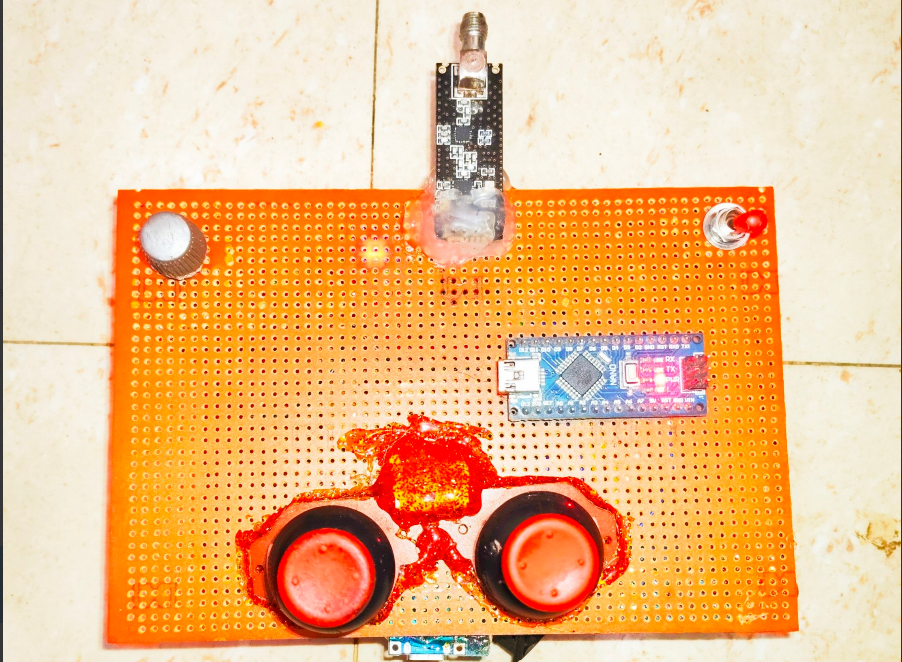
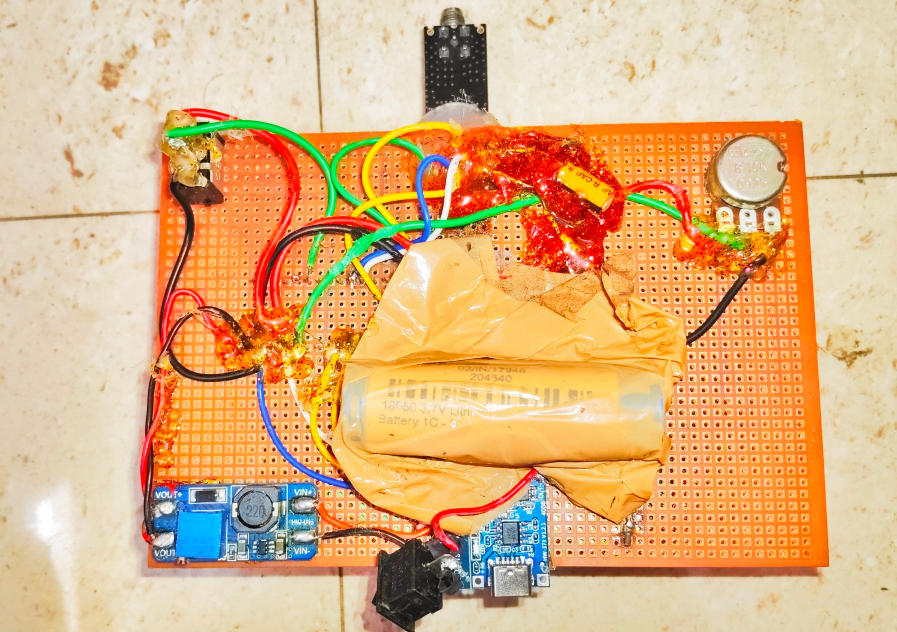
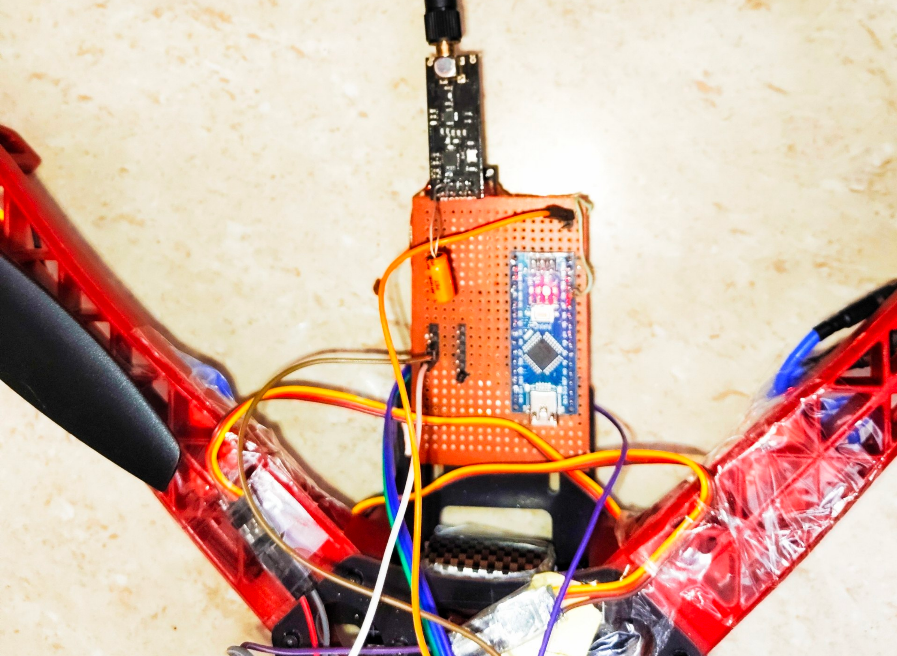
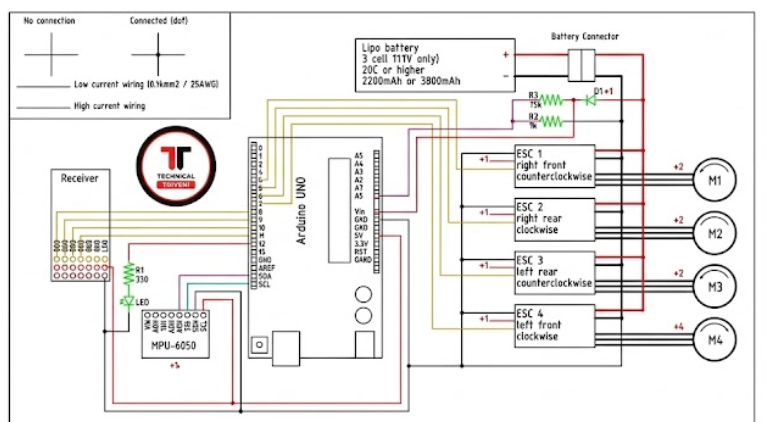
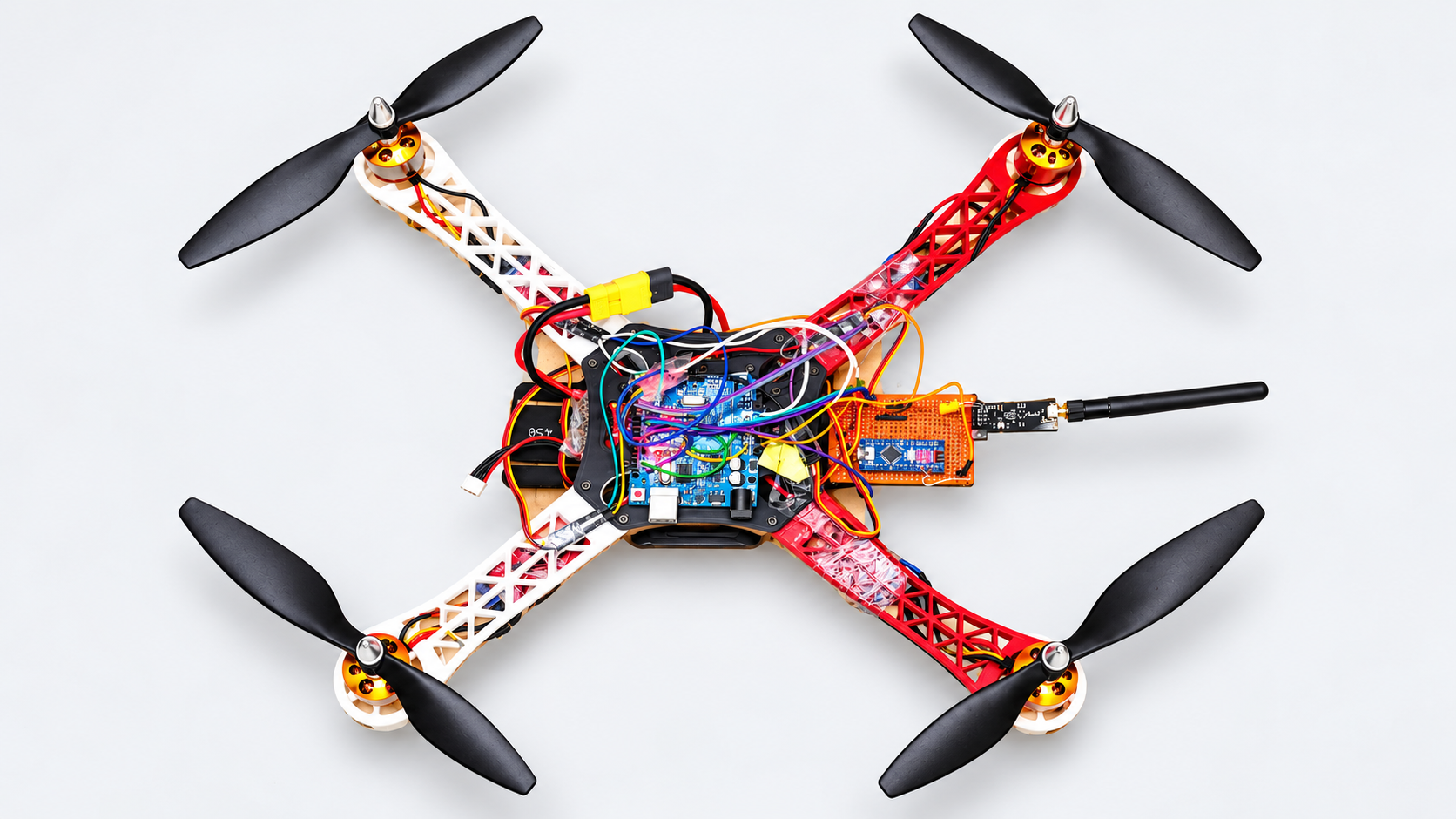
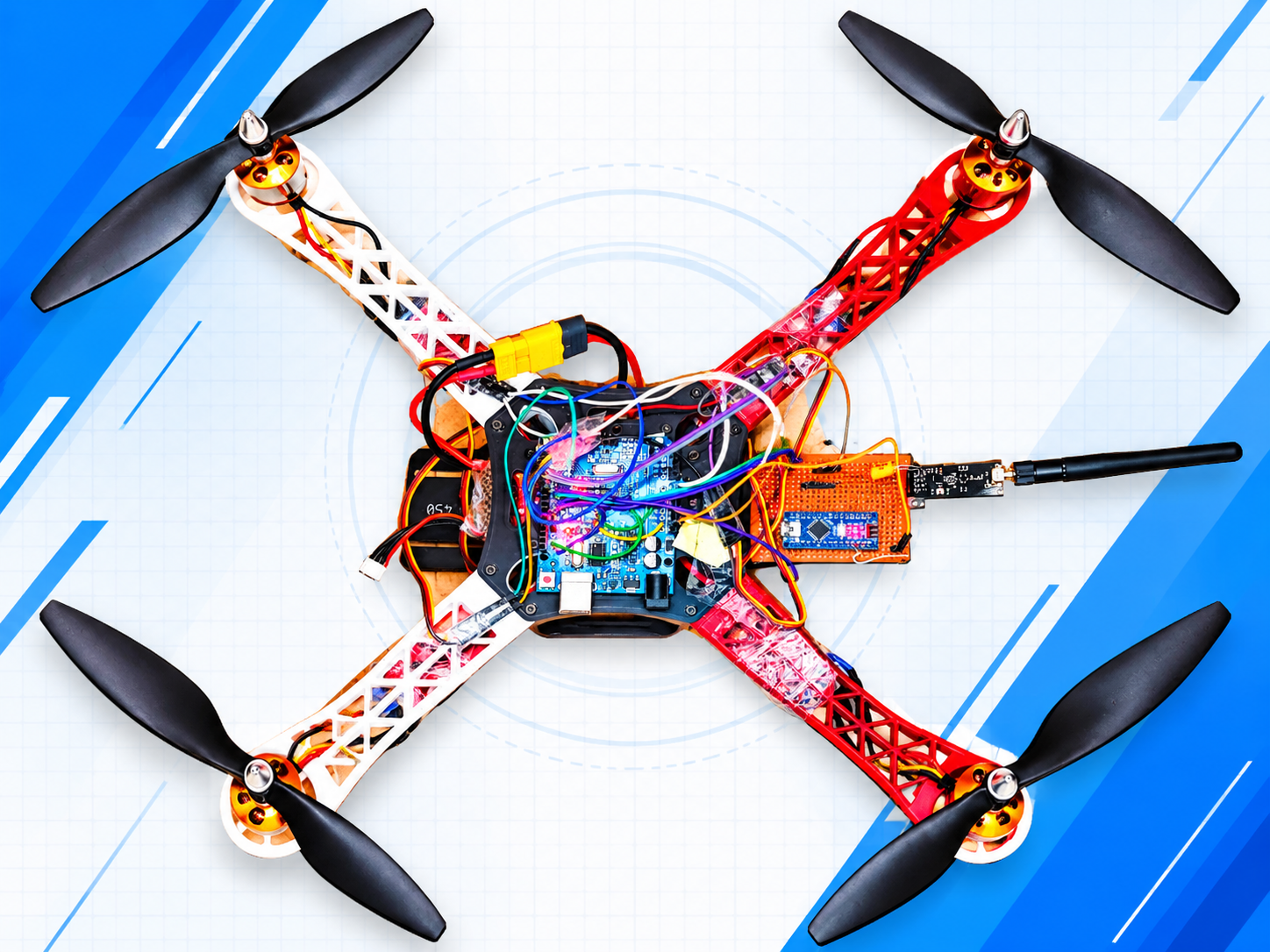
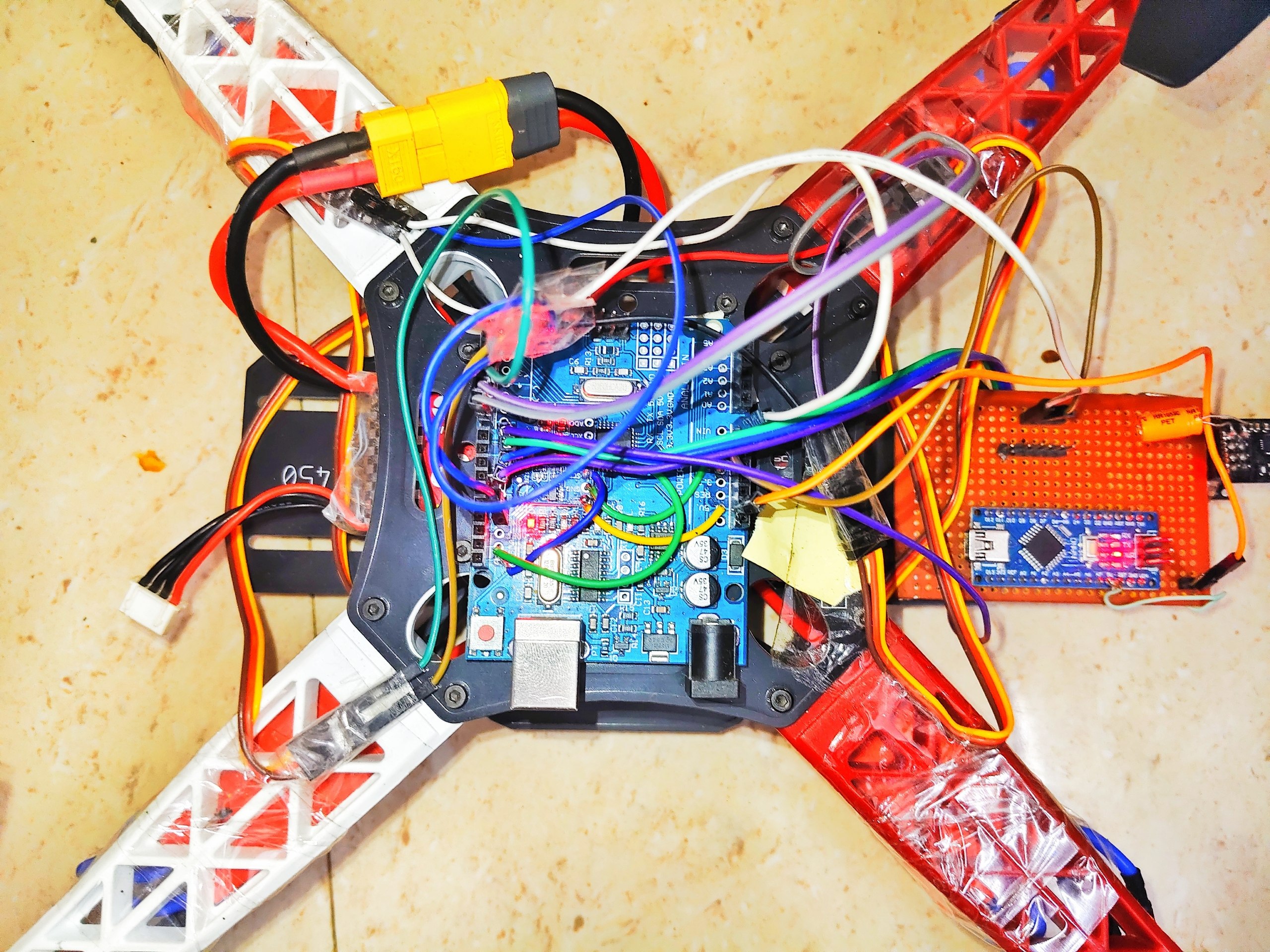
This project takes a pile of loose parts to a bench-verified quadcopter: a hand-built 6-channel Arduino remote, a matching nRF24L01 receiver, and an Arduino Uno flight controller with an MPU-6050 gyro that drives four brushless motors.

It is written as a bring-up log, not just a wiring diagram. Every stage has a small test sketch, an expected result, and the real errors I hit along the way.

What you will learn

  • How a 2.4 GHz nRF24L01 radio link carries six stick, switch and knob channels
  • How to prove each part works before you connect the next one
  • How a receiver's servo-style pulses feed a flight controller
  • How to calibrate the flight controller and check motor directions safely

Who this is for: builders comfortable with Arduino sketches and basic wiring. Difficulty is Advanced because it involves a LiPo battery, ESCs and spinning motors.

What this is not: it is not a from-scratch flight controller. The stabilisation firmware is the community YMFC-AL flight controller by Joop Brokking (www.brokking.net). It is not included here — you download it from its author. This project covers the radio side, the test tooling, the wiring, and the debugging that gets that firmware running with a DIY receiver.

In words: the remote reads your controls and sends them over the radio. The receiver turns them back into normal RC pulses. The flight controller reads those pulses, measures how the frame is tilting with the gyro, and adjusts the four motors many times a second to keep the drone stable.

How the radio link works

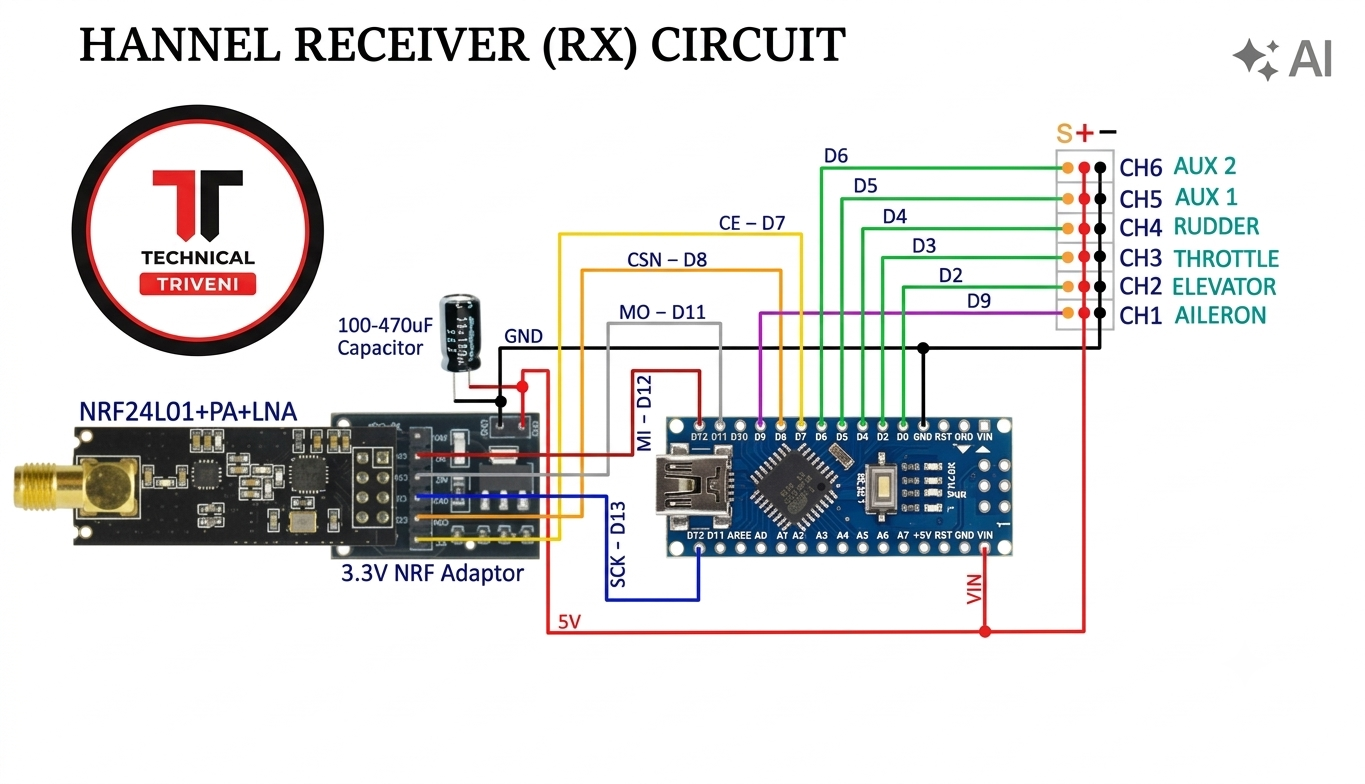
  • Radio: nRF24L01+ at 2.4 GHz, channel 108, 250 kbps, CRC-8, maximum power, same address on both ends.
  • Auto-acknowledge is OFF in the flying configuration. The remote streams packets one way and does not wait for a reply. The link-check sketches turn it ON temporarily, only as a diagnostic.
  • Each packet is 6 bytes (0–255 each): throttle, yaw, pitch, roll, aux1, aux2.
  • The receiver converts each byte to a 1000–2000 µs pulse with the Servo library — the same signal a hobby receiver produces.
  • Failsafe: if no packet arrives for about 1 second, the receiver sets throttle to about 1047 µs and re-centres the sticks near 1500 µs.

Channel map

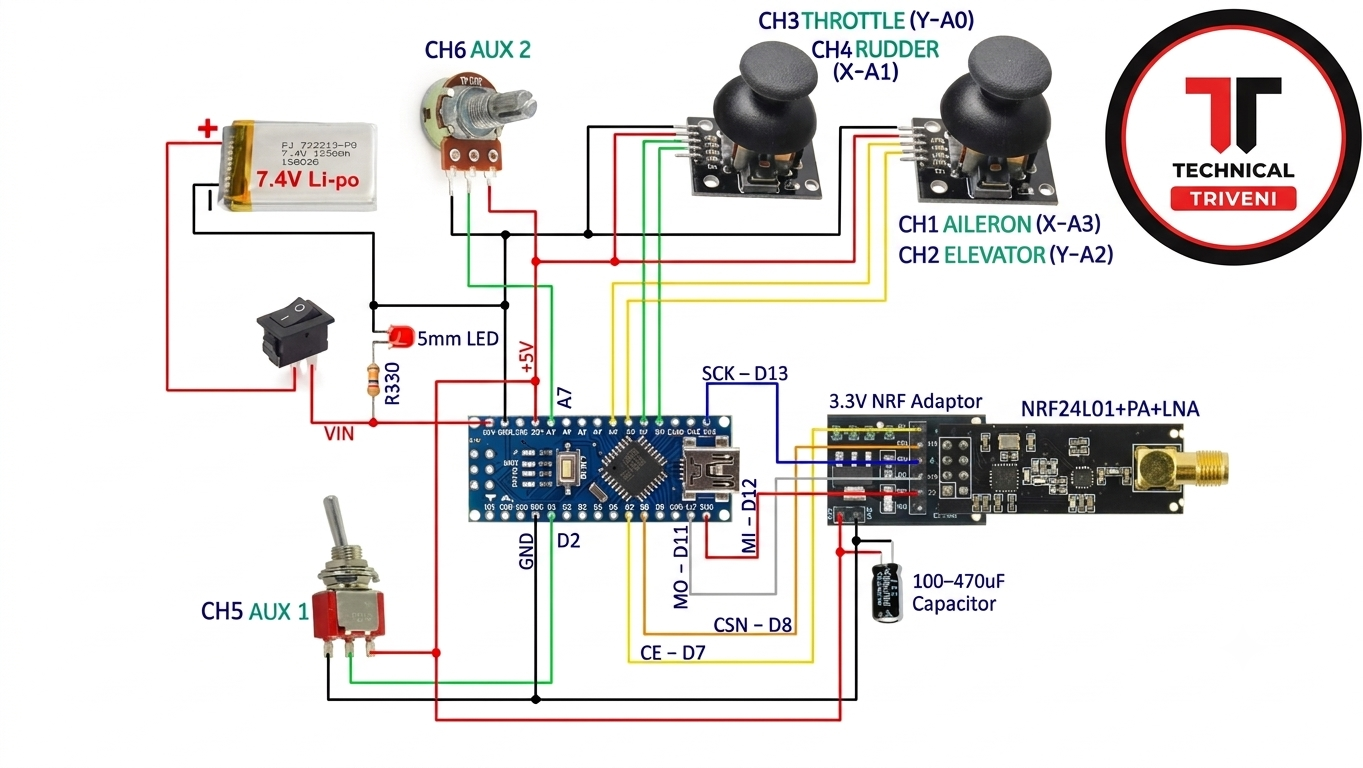
  • CH1 roll: right stick X → remote A3 → receiver D9
  • CH2 pitch: right stick Y → remote A2 → receiver D2
  • CH3 throttle: left stick Y → remote A0 → receiver D3
  • CH4 yaw: left stick X → remote A1 → receiver D4
  • CH5 aux1: toggle → remote D2 → receiver D5
  • CH6 aux2: potentiometer → remote A7 → receiver D6

Only CH1–CH4 go to the flight controller. CH5 and CH6 are free for extras.

FAQ

Can I use an Arduino Uno for the remote? Yes. A7 does not exist on the Uno, so move AUX2 to A5. A ready-made variant is in the downloads.

Why is auto-acknowledge off? The remote streams one-way without waiting for replies, which keeps latency low. Turn it on only for diagnostics.

Can I use this receiver with Betaflight or iNav? Not directly. It outputs six separate PWM signals, while those flight controllers expect one wire (PPM, SBUS and similar). A PPM-output version of the receiver would be the next step.

Can I use a 4S battery? Not with this build. The battery-voltage divider and the firmware are set up for 3S.

Do I need the throttle stick "down" to be the lowest value? Yes. Throttle fully down must read below 1050 µs at the flight controller, or the drone will not arm.
Files included in this pack

FULL PROJECT FILES (UNZIP to get)25 KB
code159 KB
code1.1 KB
code1.7 KB
CORRECTED SETUP CODE FIXED MPU PROBLEM40 KB
License: MIT

DIY Arduino Drone: nRF24 Remote, Receiver & Flight Controller Bring-Up (Wiring, Test Code, Fixes)

Advanced5hrs

Build and debug a 6-channel nRF24L01 Arduino remote and receiver, wire it into an Arduino Uno + MPU-6050 flight controller, and get from dead radios to a bench-verified quadcopter — with 12 diagnostic sketches, full wiring tables, and the full code.

Safety first, read before building.
  • Propellers off: Never attach propellers during bench testing, software uploads, or ESC calibration. Only mount them immediately before an active flight test.
  • Disarm reflex: Mentally practice your disarm stick motion (throttle down, yaw right) before taking off. If the drone loses control, cut the power instantly rather than fighting to regain control.
  • Secure the frame: During initial hover checks or motor rotation testing, strap the landing gear to a heavy test bench or weigh it down to prevent an unexpected launch.
  • LiPo battery handling: Never leave charging batteries unattended. Charge and store lithium-polymer packs in a fire-safe bag, and always disconnect the main battery immediately after landing.
  • Power isolation: When connecting the Arduino to a computer via USB while the LiPo battery is plugged in, verify your wiring (especially ESC BECs) to ensure you are not back-feeding 5V power into your computer's USB port.
  • Clear the area: Conduct motor tests and flights in an open area away from people, pets, and obstacles.

What you will build and learn

Build a custom 6-channel remote
Wire a flight controller from scratch
Learn NRF24 radio pairing

Prerequisites

Soldering basic wires, Arduino IDE installation

## Overview

This project takes a pile of loose parts to a bench-verified quadcopter: a hand-built 6-channel Arduino remote, a matching nRF24L01 receiver, and an Arduino Uno flight controller with an MPU-6050 gyro that drives four brushless motors.

It is written as a bring-up log, not just a wiring diagram. Every stage has a small test sketch, an expected result, and the real errors I hit along the way.

What you will learn

  • How a 2.4 GHz nRF24L01 radio link carries six stick, switch and knob channels
  • How to prove each part works before you connect the next one
  • How a receiver's servo-style pulses feed a flight controller
  • How to calibrate the flight controller and check motor directions safely

Who this is for: builders comfortable with Arduino sketches and basic wiring. Difficulty is Advanced because it involves a LiPo battery, ESCs and spinning motors.

What this is not: it is not a from-scratch flight controller. The stabilisation firmware is the community YMFC-AL flight controller by Joop Brokking (www.brokking.net). It is not included here — you download it from its author. This project covers the radio side, the test tooling, the wiring, and the debugging that gets that firmware running with a DIY receiver.

In words: the remote reads your controls and sends them over the radio. The receiver turns them back into normal RC pulses. The flight controller reads those pulses, measures how the frame is tilting with the gyro, and adjusts the four motors many times a second to keep the drone stable.

How the radio link works

  • Radio: nRF24L01+ at 2.4 GHz, channel 108, 250 kbps, CRC-8, maximum power, same address on both ends.
  • Auto-acknowledge is OFF in the flying configuration. The remote streams packets one way and does not wait for a reply. The link-check sketches turn it ON temporarily, only as a diagnostic.
  • Each packet is 6 bytes (0–255 each): throttle, yaw, pitch, roll, aux1, aux2.
  • The receiver converts each byte to a 1000–2000 µs pulse with the Servo library — the same signal a hobby receiver produces.
  • Failsafe: if no packet arrives for about 1 second, the receiver sets throttle to about 1047 µs and re-centres the sticks near 1500 µs.

Channel map

  • CH1 roll: right stick X → remote A3 → receiver D9
  • CH2 pitch: right stick Y → remote A2 → receiver D2
  • CH3 throttle: left stick Y → remote A0 → receiver D3
  • CH4 yaw: left stick X → remote A1 → receiver D4
  • CH5 aux1: toggle → remote D2 → receiver D5
  • CH6 aux2: potentiometer → remote A7 → receiver D6

Only CH1–CH4 go to the flight controller. CH5 and CH6 are free for extras.

FAQ

Can I use an Arduino Uno for the remote? Yes. A7 does not exist on the Uno, so move AUX2 to A5. A ready-made variant is in the downloads.

Why is auto-acknowledge off? The remote streams one-way without waiting for replies, which keeps latency low. Turn it on only for diagnostics.

Can I use this receiver with Betaflight or iNav? Not directly. It outputs six separate PWM signals, while those flight controllers expect one wire (PPM, SBUS and similar). A PPM-output version of the receiver would be the next step.

Can I use a 4S battery? Not with this build. The battery-voltage divider and the firmware are set up for 3S.

Do I need the throttle stick "down" to be the lowest value? Yes. Throttle fully down must read below 1050 µs at the flight controller, or the drone will not arm.
₹23.00One-time, instant access